
Ceiling Fan Only Runs on One Speed? What’s Actually Failing
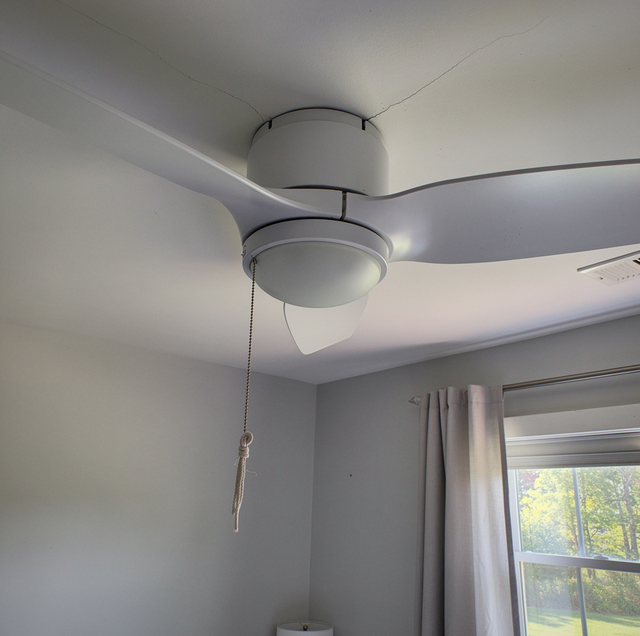
Your pull chain still clicks through all three positions. Your remote still beeps when you press it. The blades keep turning at the same pace they were before you touched anything, and your room feels the same on low as it did on high. Nothing about your fan is broken the way you expect a broken fan to be broken.
You keep using it, because it runs. What you lose is the range: two of the three settings you own no longer do anything for you, and a fan with one working speed is a fan you cannot match to your room. Ceiling fan manufacturers put five candidate parts behind that single symptom, and several of them you can rule out from the floor.
What a Ceiling Fan Loses When It Loses Its Speed Steps
A ceiling fan does not have three motors. It has one, and something in the fan changes how hard that motor is driven so the blades settle at three different speeds. Most ceiling fans use an electrical component called a capacitor to control distinct speed settings such as high, medium, and low. Take that component out of the picture, and the motor still turns. What disappears is the ladder of settings, not the fan.
That reframes the symptom in a useful way. A fan stuck on one speed is not a fan that is dying. It is a fan whose speed-setting machinery has stopped responding, while the part that actually moves air continues to operate exactly as designed. The service line for this at an electrical contractor is speed-control work, and it sits beside wobble, hum, and a dead light kit as an ordinary fan repair, not a replacement conversation.
The Five Parts Behind This One Symptom
Manufacturer troubleshooting guidance is unusually specific about where to look: if a ceiling fan runs at only one speed or will not change speeds, the issue may be with the remote, wall control, reverse switch, capacitor, or wiring harness. Five parts, and they are not equally likely, not equally serious, and not equally reachable. Two of them sit outside the fan or across the room from it. Three of them sit inside a housing you should never open.
That split is the whole map. The remote and the wall control are user-facing hardware, and checking them takes you a set of batteries and ten minutes. The reverse switch lives on the outside of the motor housing where your hand can reach it. The capacitor and the wiring harness live behind the canopy, above your head, on a circuit that is live whenever the breaker is on. Where your symptom falls on that line is the difference between an evening and a service call.
Why Does a Fan Run on High but Not on Low?
This pattern points to a single part with more confidence than any other. When a capacitor goes bad, it can affect a fan's ability to change speed, and a fan that runs on high but not on the other speeds is a strong indication the capacitor has failed. That pattern carries weight because of how the steps are built. High is the setting where the motor takes the most the supply offers, and the lower steps are made by shaping that supply down. Lose the component doing the shaping, and the shaped settings vanish while the unshaped one survives, which is why a fan that has dropped medium and low while keeping high has already narrowed five parts to one.
Notice how carefully that guidance is worded: it calls the pattern an indication, which is the language of a starting point and not a verdict. The four other candidates stay on your list until someone with the fan open in front of them has cleared each one, and the order in which they are cleared determines whether it's a short visit or a long one.
The practical value of the pattern is that it remains visible when observed from a chair. Nobody has to open anything to notice that high still works and the rest of your settings do nothing. Write down which of your settings respond, which do nothing, and whether your light kit still behaves normally, because that combination narrows the list before your electrician arrives.
The capacitor and the wiring harness sit behind the canopy on a live ceiling circuit, so a licensed electrician isolates the circuit, opens the canopy and replaces the failed part, and that canopy stays closed until then.
The Reverse Switch Is Worth Ruling Out First
The simplest step under speed control is the least technical to check: if there is a reverse switch on the fan, make sure it is set to one side or the other, not in the middle. A switch resting halfway is a mechanical state, not a fault, and correcting it asks nothing of you but a moment. Turn the fan off, let the blades stop completely, and then push that slider firmly to one end.
When the Control Is at Fault, and the Motor Is Fine
On a fan driven only by a remote, your speed request never reaches the motor as a mechanical position. It arrives as a signal, and a signal can fail on its own. Manufacturer guidance for that case is short: if there are no pull chains and the fan runs but does not change speeds, the remote control may need to be replaced.
Two things are worth doing before you accept that conclusion. Fresh batteries first, because a remote with weak cells often keeps its on and off function while losing the finer speed commands. Then re-pairing, because a remote and its receiver can drift apart after a power interruption, and your fan's manual carries the sequence for putting them back together.
A wall control fails in a similar way and is diagnosed differently because it is wired into the circuit rather than communicating with it across the room. Manufacturers also ask you to confirm the fan is not connected to an incompatible speed control, which is the case where nothing has failed, and the wrong device is simply in the way.
Repairable, or Ready to Come Down
Speed control lands on the forgiving side of a repair-or-replace call. A faulty capacitor or wiring harness is often repairable, and the only reason to replace the fan is that parts are unavailable or the fan is older.
Both halves of that condition are about supply and age, not about the failure itself. A capacitor that has gone bad in a current model is a part order. The same failure in a fan whose maker no longer lists the part turns into a hunt, and a hunt that ends nowhere turns into a new fan on the same bracket.
Age works on the other components too. A fan old enough to be hard to source parts for has usually accumulated a worn pull-chain switch, a tired receiver, and a wiring harness cooked by years of use, so one replaced part often uncovers the next. Your electrician sees that pattern early and will say so before the second visit.
Who Opens the Fan, and What Happens Next
The handoff here is cleaner than on most electrical work, because the line is physical. Everything outside the housing belongs to you: the reverse switch, the batteries, the pairing sequence, and the record of which settings still respond. Everything behind the canopy belongs to a licensed electrician, and that includes the capacitor, the receiver, and the harness.
That visit is mostly reading. The circuit gets isolated, the canopy comes down, and the parts get identified by model number so the right replacement can be ordered. Speed-control repairs frequently end in a part swap and a fan that behaves again, which is why this symptom is worth reporting early rather than living with it.
So the useful question is not whether your fan is broken, because it plainly is not. It is which of the five parts your own observations have already taken off the list, and how much of that narrowing you did before you picked up the phone. Which of your settings still answer you tonight, and which have gone quiet?
Frequently Asked Questions
Sometimes, and it is the manufacturer's own first recommended move. A remote with weak cells can hold enough charge to switch your fan on while losing the commands that need a cleaner transmission. If new batteries change nothing, re-pair your remote to its receiver before you assume the fault is inside the fan.
It can, and a fresh installation shifts the odds toward your controls and away from a worn part. A reverse switch knocked halfway during mounting, a remote that was never paired to its receiver, or a wall device that does not suit your fan will all show up on the very first evening. Your installer should be the first call you make.
Usually, and that split helps you. Your light kit and your motor are fed separately inside the fan, so a working light with a stuck speed tells you the fan still has power and narrows the search. A fan that lost both the light and the speeds is a different question, and it moves the circuit, the wall switch, and the breaker back onto your list.
Three things, none of which ask you to open anything. Note whether your one working speed is high or lower, because manufacturers treat a fan stuck on high as the capacitor pattern. Note whether your light kit works. And note any change in sound, because a hum, a rattle or a hot smell moves your fan out of this conversation. Switch it off at the wall if you smell anything hot.
Not usually, because each of your fans carries its own capacitor, receiver, and harness, so a failure in one fan has no route to another. Shared hardware is where that changes. Two fans on a single wall control, or two that lost their speeds in the same week after a power event, point outward at your circuit, not inward at the motors. Tell your electrician if more than one of your fans changed in the same week.
Because two speed controls are stacked on one fan and only one of them is being adjusted. Manufacturer guidance for remote kits carries the requirement directly: if the fan is a pull chain with an accessory remote installed, the pull chain fan speed must be set to high speed. Left on medium or low, the chain holds your fan below the range the remote is trying to command, so the remote looks dead on its upper settings. Nothing in the fan has failed here. It is a configuration, and it turns up only on a fan that had a remote kit added later. Set your chain to high, and your speeds come back.
Ceiling fan stuck on one speed — Write down which settings respond and which have gone quiet, leave the canopy closed, and book a licensed electrician to check the reverse switch, the capacitor, and the harness in one visit. Wired Up Electrical serves Lynchburg, Forest, and Bedford. Call (434) 254-1264.
